
Automation that keeps running
Automations that keep working, month after month.
Automations break quietly when an app changes or a form is edited. Yours are checked every day, problems are caught early and fixed fast, and the steps that cause the most friction get better each month.
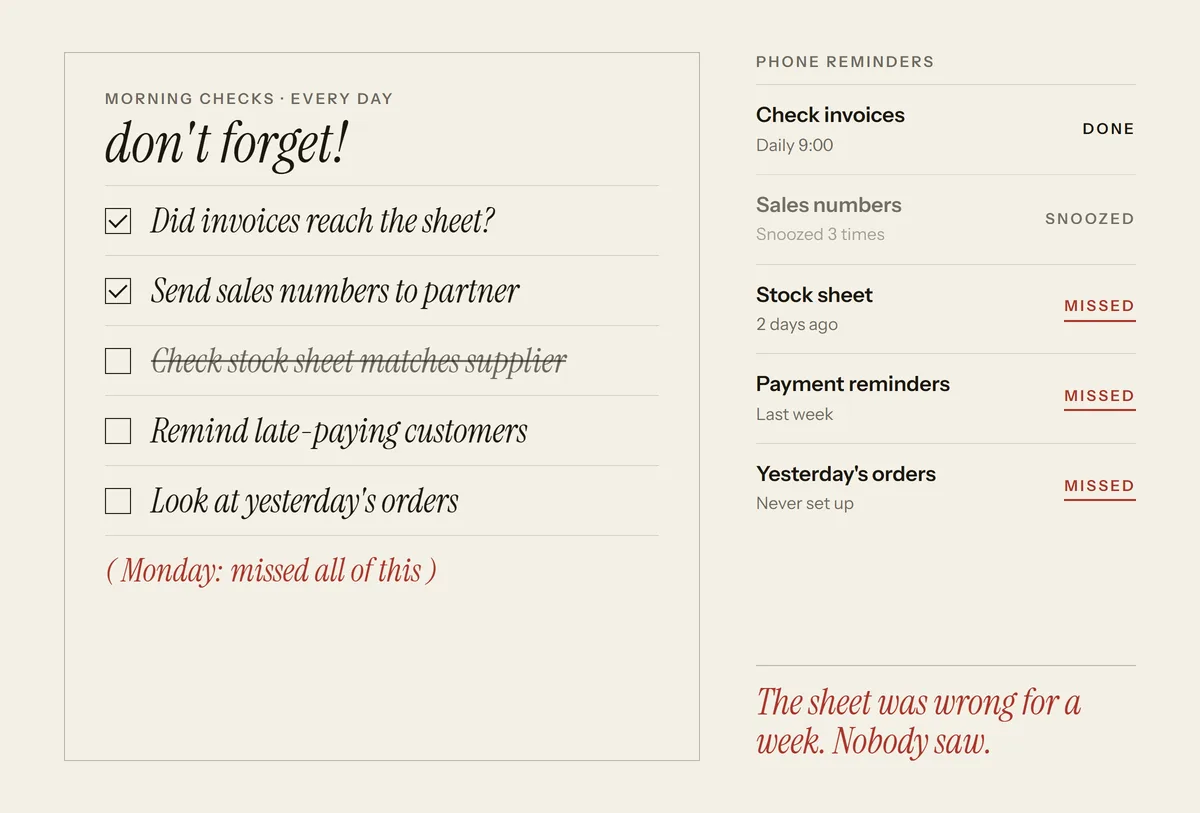 Routine steps are repeated by hand, every day.
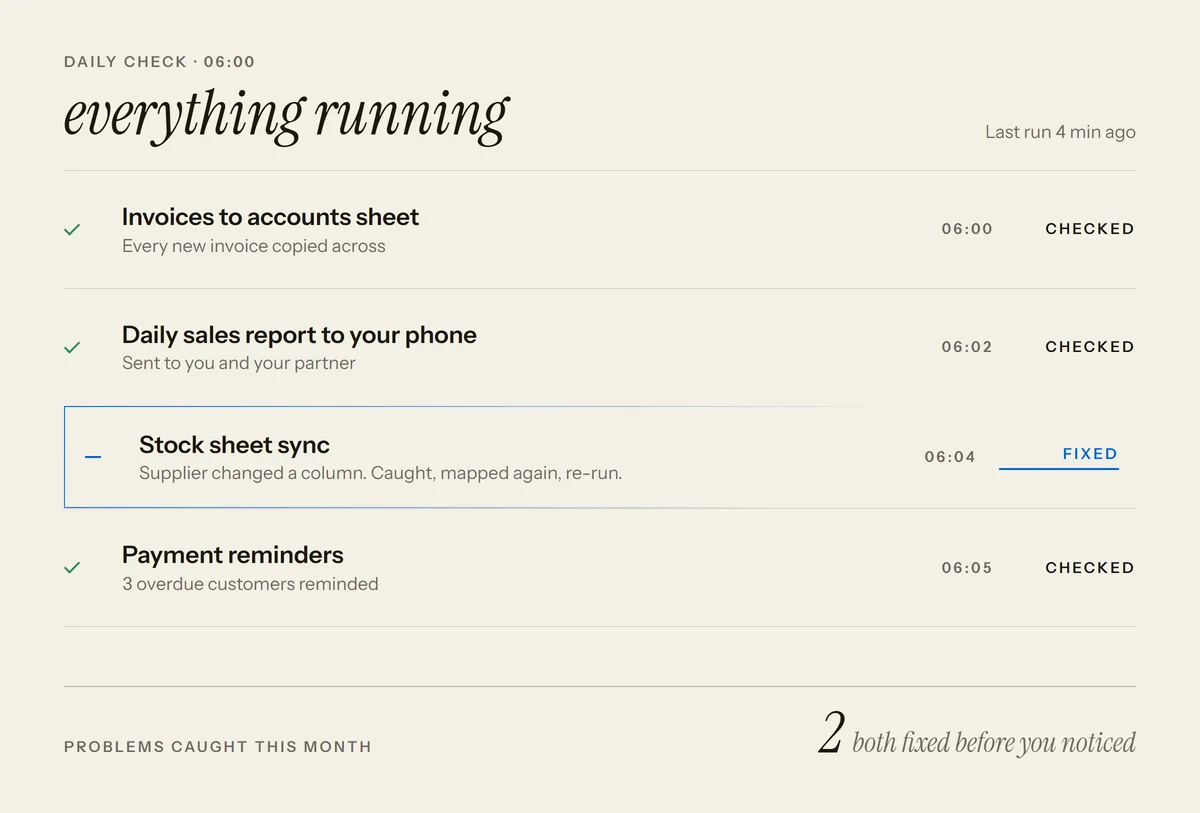 The routine steps run themselves and flag exceptions.
Example, not live: every name and number is invented.
- Checked dailyso a failure does not sit unnoticed
- Written downeach automation explained in plain language
See it work
Watch a problem get caught
A daily check spots a broken step, the fix is tested before it goes live, and you are told what happened.
What you get
Automations you can rely on
Daily checks
Failures are caught as they happen, not when a customer complains.
Fast fixes
Problems are fixed as soon as they are caught, and you are told what happened.
Notes anyone can read
Every automation is written up in plain language, so nothing depends on one person.
A monthly summary
A short report shows what ran, what broke and what was improved.
Small improvements each month
The steps that cause your team the most friction are tidied first.
One person to ask
Message me when something changes in your business and I adjust it.
Is it for you
Is this for you?
Not a fit if you have no automations yet. Building the first one is a different project.
- You already have automations, but nobody notices when one stops working.
- The person who set them up has moved on and no one knows how they work.
- You want someone to own the upkeep so your team can focus on customers.
How you would use it
How you would use it, month to month
- Your automations run. Leads, invoices and messages move between your apps as usual.
- A check catches a problem. When an app changes or a form is edited and something stops, the daily check spots it.
- It gets fixed. The fix is made and tested before it goes live, and you are told what happened.
- You read the summary. Once a month a short note shows what ran, what broke and what changed.
Example, not live
Morning check
- Lead to sheet
- Running
- Invoice reminders
- Running
- WhatsApp replies
- Running
Example, not live
Problem caught
- Step
- Form to sheet
- Cause
- A form field was renamed
- Status
- Needs a fix
Example, not live
Fix noted
- Change
- Field name matched again
- Tested
- Before going live
- Status
- Running again
Example, not live
- Note to you
Quick note: the form step stopped after a field was renamed. I fixed it and tested it. Nothing was lost.
- You
Thanks for telling me.
What it takes
Your part, my part, and what to expect
- Your part. Give access to the tools your automations use and tell me when something changes in your business.
- My part. I review what you have, write it up, watch it every day and fix and improve it each month.
- Cost. A monthly arrangement, sized to how many automations you have and how critical they are. Scope and ownership are agreed in writing first: see how a project runs.
- Time. It starts with a review of what you have, and response times are set per automation.
How a project runs: call, plan, build, run. See the full process
Works with
Fits the tools you already use
Your automations stay in the apps your team already works in. No need to switch.
Technical details for your IT person
Includes monitoring and alerting on each workflow, error logs, retries, versioned changes and runbooks. Changes are tested before they go live. Access is limited to what each automation needs, and data stays in your own accounts.
Connects to what you use today
- Gmail
- Google Sheets
- Zoho
- Shopify
- Tally
Your data stays in your own accounts.
Questions
Questions owners ask
Something else on your mind? Ask it before you decide.
Book a free callCan you look after automations someone else built?
Yes. What you have is reviewed first, you are told plainly what is solid and what needs fixing, and then it is looked after.
How quickly do you fix problems?
Response times are set up front, based on how important each automation is to your business.
Is this a long contract?
It is a monthly arrangement, and you can change the scope as your needs change.
Who owns the automations?
Ownership of the code, the accounts and the data is agreed in writing before work starts.
Stop babysitting your automations.
Get a clear picture of which automations need attention and how to keep them running.