
Document and paperwork processing
Stop typing invoices and forms by hand.
Invoices, purchase orders, forms and receipts pile up and someone has to type them in. Instead they are read, the details are pulled out and entered where they belong, and your team checks only what is unclear.
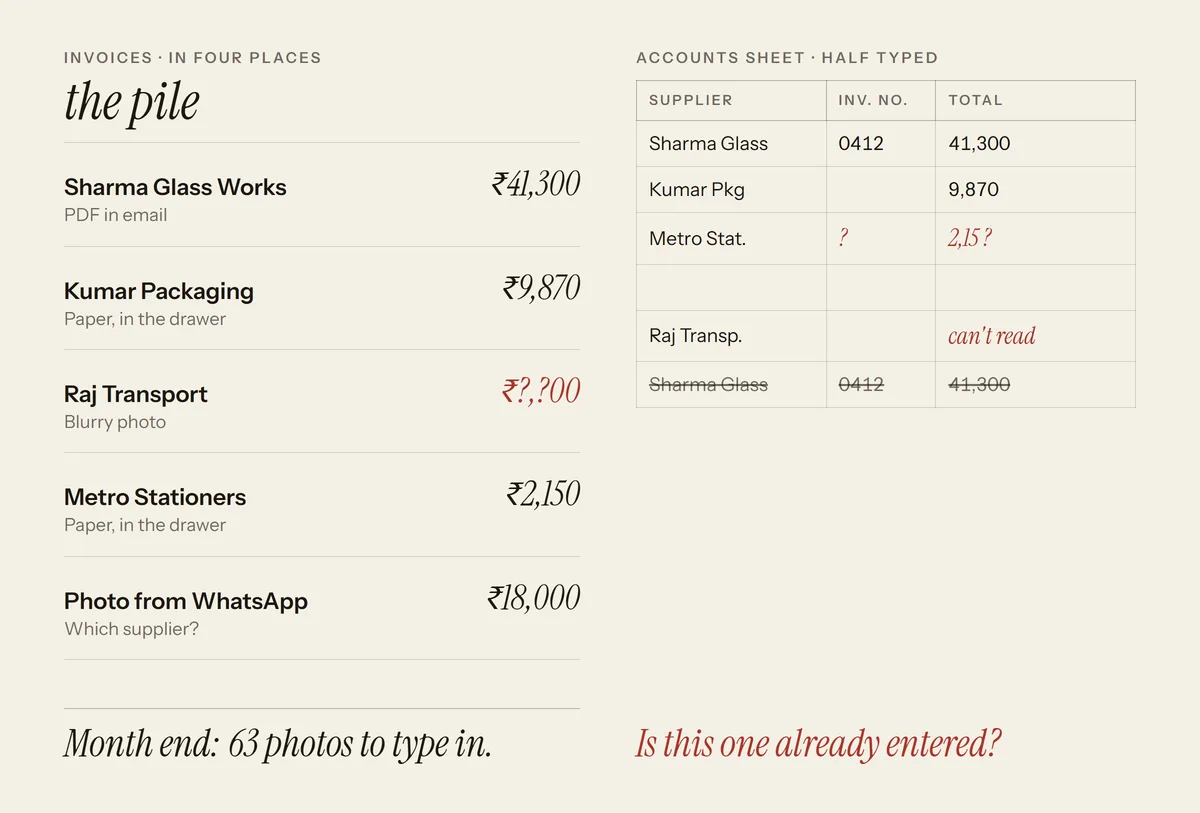 Paperwork is retyped from page to page.
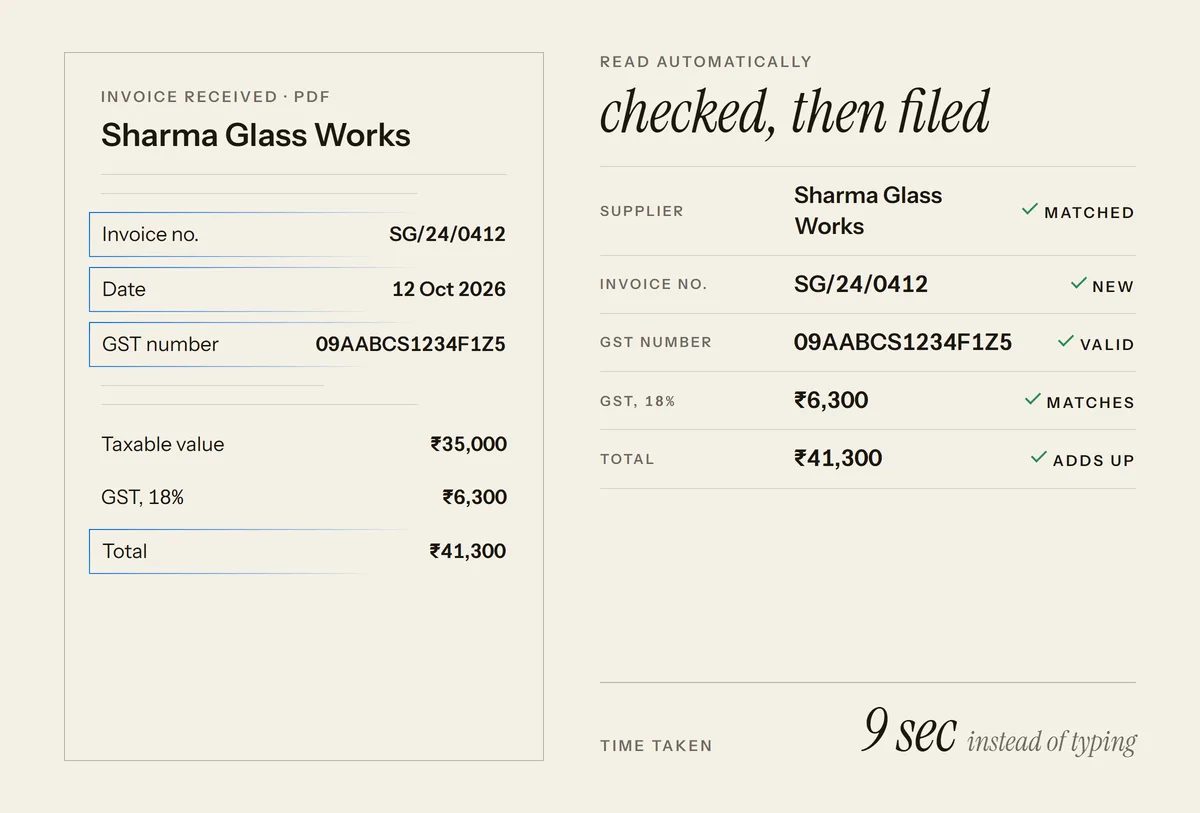 Documents are read, filed and checked for you.
Example, not live: every name and number is invented.
- Read for youinvoices, forms and orders, from PDFs, scans or photos
- You approveanything unclear waits for your team
See it work
Watch an invoice file itself
An invoice arrives, its details are read, an unclear one waits for your team and the rest are filed.
What you get
Paperwork handled, with you in control
Documents read for you
PDFs, scans and photos are read and the key details pulled out.
Entered where they belong
Details go straight into your accounts, spreadsheet or business software.
Checked before saving
Totals and required fields are checked, and unclear items are flagged.
You approve the exceptions
Your team reviews only the documents that need a second look.
Easy to find later
Every document is stored and searchable, linked to its entry.
A clear status
See what has been processed, what is waiting and what needs attention.
Is it for you
Is this for you?
Not a fit if you handle only a few documents a week. Typing them is probably still quicker.
- Someone on your team spends hours copying details from documents into software.
- Typing mistakes cause wrong bills, missed payments or rework.
- Paperwork piles up at month end and slows everything down.
How you would use it
How you would use it, day to day
- Documents arrive. Invoices, forms and receipts come in by email, upload or phone photo.
- Details are read and checked. The key fields are pulled out, and totals and required fields are checked.
- Your team reviews exceptions. Only unclear documents wait for a person. The rest go straight through.
- Entries land in your software. Details appear in your accounts or spreadsheet, linked to the original document.
Example, not live
New invoice received
- From
- Sample Supplier
- Arrived by
- Email, as a PDF
- Status
- Waiting to be read
Example, not live
Details read
- Supplier
- Sample Supplier
- Invoice number
- Read from the page
- GST number
- Read and checked
- Taxable value
- ₹35,000
- GST, 18%
- ₹6,300
- Total
- ₹41,300
- Check
- Tax and total add up
Example, not live
Needs a second look
- Item
- GST number is blurry
- Status
- Waiting for your team
Example, not live
Filed in your accounts
- Entry
- Added to your sheet
- Original
- Linked and searchable
What it takes
Your part, my part, and what to expect
- Your part. Share sample documents and tell me where the details should go.
- My part. I build the reading and checking, connect it to your software and test it on your samples.
- Cost. Depends on the types of documents you handle and the software they feed. Scope and ownership are agreed in writing first: see how a project runs.
- Time. Depends on how many document types are in the first version.
How a project runs: call, plan, build, run. See the full process
Works with
Fits the tools you already use
Details go into the software you already keep your books and records in.
Technical details for your IT person
Uses document text recognition (OCR) and an LLM for field extraction, with rule-based validation and a human review queue. Files and data stay in your own storage.
Connects to what you use today
- Tally
- Excel
- Google Sheets
- Zoho
- Gmail
- Google Drive
Your data stays in your own accounts.
Questions
Questions owners ask
Something else on your mind? Ask it before you decide.
Book a free callWhat kinds of documents can it handle?
Invoices, purchase orders, receipts, forms and similar paperwork, as PDFs, scans or phone photos. Your own samples are checked before anything is built.
Does it read GST and other taxes?
On Indian bills the GST number, taxable value, GST amount and total are read and checked so they add up. On bills from other countries the tax printed on the bill, such as VAT or sales tax, is read as a labelled amount. Your own samples are checked before anything is built.
What happens when a document is hard to read?
It is flagged for a person on your team to check, instead of guessing. Nothing unclear is saved without review.
Is my business data kept safe?
Yes. Documents and data stay in accounts you control, and only the people you choose can see them.
Who owns what you build?
Ownership of the code, the accounts and the data is agreed in writing before work starts.
Stop retyping invoices and forms.
See how much paperwork can come off your team's plate.